

With the fork feature, you can continue an existing chat from a specific point as a new conversation. The original chat is kept, so you can try different approaches without changing an existing conversation history.
What does "forking a chat" mean?
Imagine you have been working on a topic with NENNA for some time. NENNA already knows, for example:
the conversation so far
your previous instructions
the information already worked out
the context of your task
Now you want to try a different approach. Until now, you could either keep writing in the same chat or start a completely new chat and provide the necessary context again.
With a fork, you instead create a new chat branch at a specific point in the existing conversation. The previous context is carried over, and you can take a different path from there.
One chat, several options
A fork creates a new conversation based on the conversation so far. You then have two chats that are independent of each other:
Chat A: Your original conversation.
Chat B: The new fork, with the previous context as its starting point.
This lets you try different approaches and decide later which result you want to keep working with.
Changes or new messages in the fork do not change the original chat.
When is forking a chat useful?
Creating different versions of a text
You have already worked out a text with NENNA and now want to try two different versions.
In the original chat, you write, for example: "Make the text shorter and more matter-of-fact."
In the fork, you try the opposite: "Make the text more detailed and more personal."
Both versions are based on the same previous context.
Trying different solutions
You have developed a concept or a strategy with NENNA and want to look at an alternative approach from a specific point. Instead of changing the previous discussion, you create a fork and follow the alternative there.
Looking at an analysis from a different perspective
NENNA has already analyzed a document or a topic. You can fork the chat so far and then give it a different perspective, for example: "Now evaluate the results so far from a customer's point of view." The original analysis stays as it is.
Trying out prompts
The fork feature is also useful when you experiment with prompts. You can test several wordings based on the same conversation context and then compare the results with each other.
How to fork a chat
Open the chat you want.
Go to the point in the conversation from which you want to try a new path.
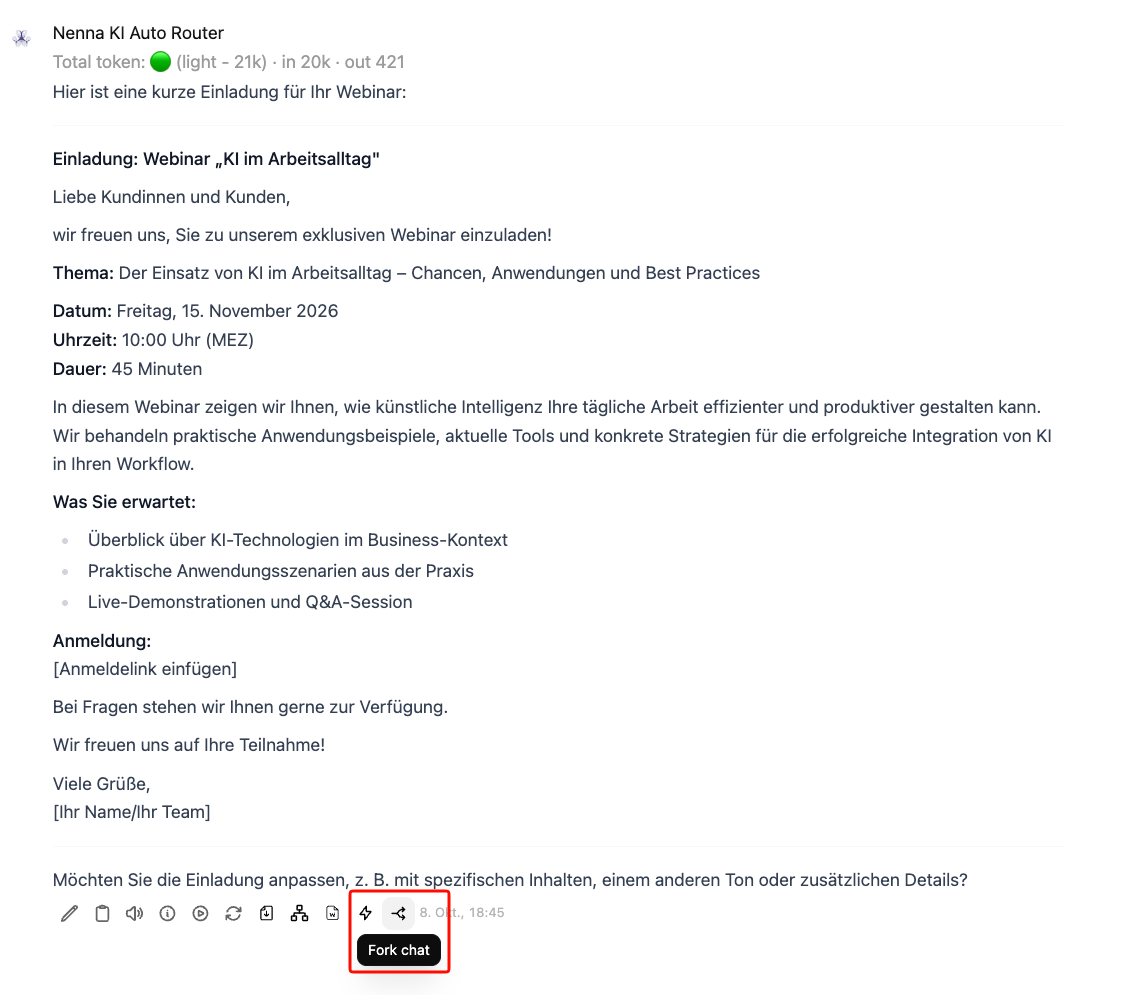
Open the available actions for that message.
Select the option to fork the chat.
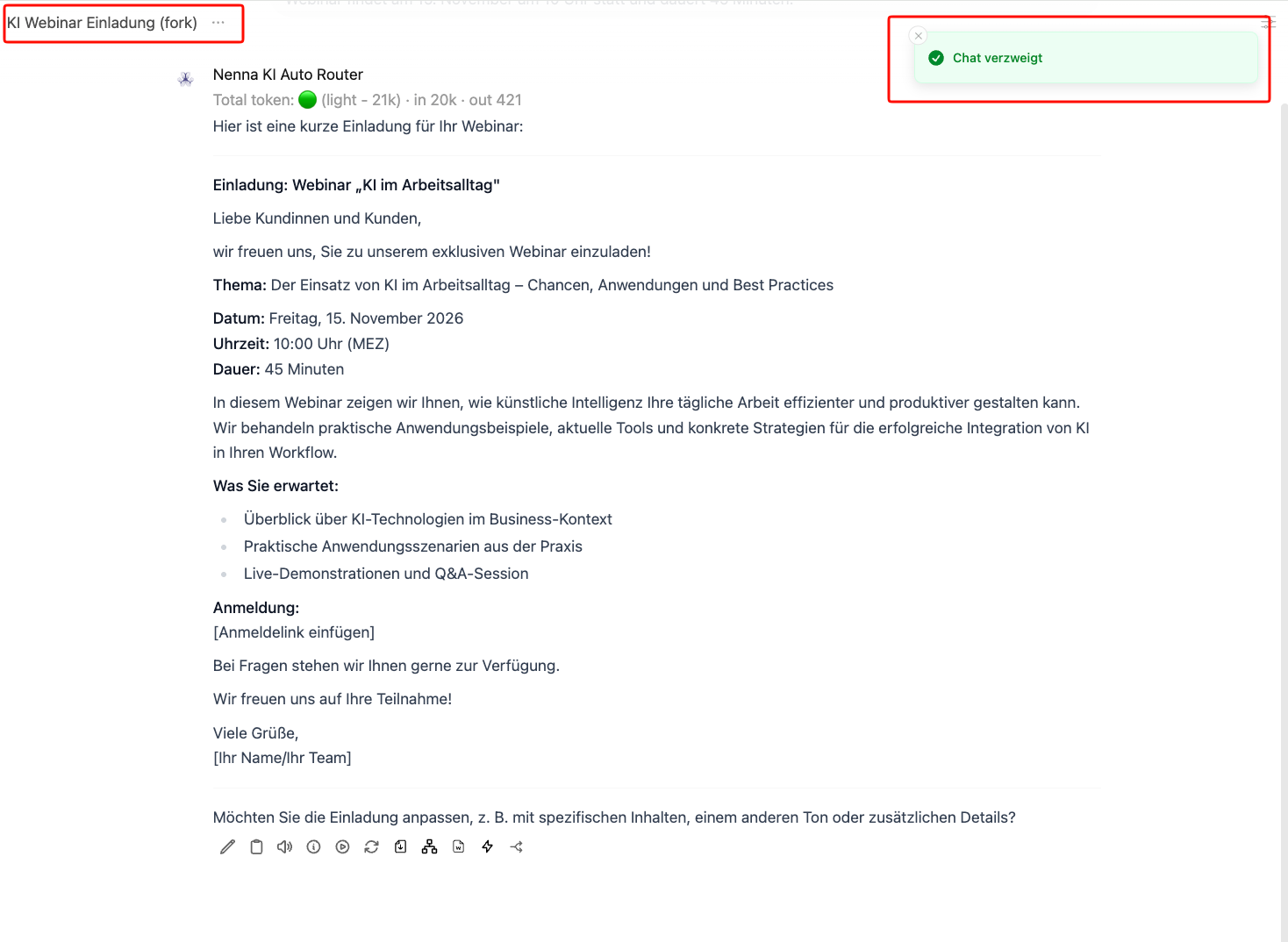
NENNA creates a new chat from it with the previous conversation context.
Continue your conversation in the new chat.
Your original chat is still kept.
What happens to my original chat?
Nothing. Forking neither overwrites nor deletes the original conversation.
The fork is created as a separate chat. From that point on, both conversations can develop independently of each other.
This also means that new messages from the original chat are not automatically carried over into the fork, and the other way around.
Our tip
Use a fork whenever you think while working with NENNA: "I want to try out what happens if I go a different way from here."
This way you can test different ideas, wordings, and solutions without losing your current work. In longer conversations especially, you save time, because you don't have to explain the context you have already built up again in a new chat.