
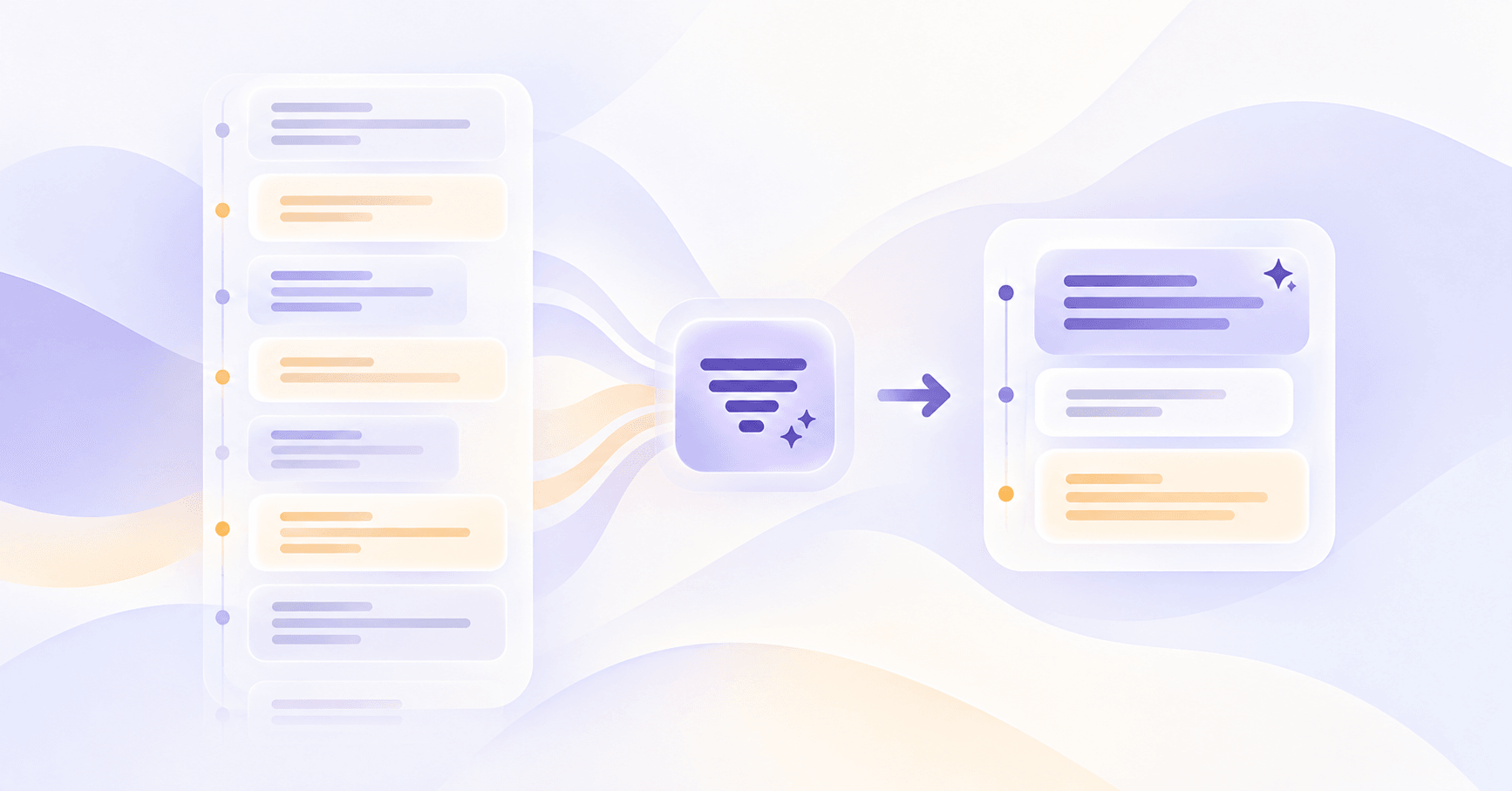
Chat Compaction helps you continue very long conversations in NENNA. It summarizes the most important information from the conversation so far. This summary then serves as context for the rest of the conversation.
Good to know: Chat Compaction does not delete your existing chat. The visible conversation history stays in place. What gets condensed is the context that the AI model uses for further processing.
What is Chat Compaction?
AI models can only process a limited amount of information at once. This limit is called the context window.
In short conversations, this hardly matters. In very long chats, though, you can reach a point where the whole history can no longer be processed together with your new request. Chat Compaction helps reduce this problem.
NENNA can summarize older parts of the conversation and provide the relevant information in a more compact form for the rest of the conversation.
In simple terms:
Before
Ihre Anfrage → Antwort → weitere Anfrage → Antwort → viele weitere Nachrichten → neue AnfrageAfter compaction
Zusammenfassung des bisherigen Gesprächs → aktuelle Nachrichten → neue AnfrageThis way, the conversation so far takes up less space in the AI model's context.
When is Chat Compaction useful?
Chat Compaction is mostly useful for long, large conversations. Typical examples:
You work on a concept or project over a long time.
You analyze several topics one after another in the same chat.
You develop a text or document over many work steps.
You ask many follow-up questions and want to keep using the existing context.
A chat already contains a very large number of messages or a lot of content.
You don't necessarily have to start a new chat just because a conversation has become very long.
What happens during compaction?
In Chat Compaction, not every earlier message is passed to the AI model unchanged. Instead, important information from the conversation so far is summarized. This can include, for example:
key requirements
decisions already made
important facts
relevant results
existing guidelines and constraints
information needed to continue the conversation
The AI then continues working with this condensed summary and the current conversation context.
Is information lost?
Compaction is always a summary. This means that not every detail from a very long conversation has to be part of the compact summary.
If certain information is especially important for your further work, it's a good idea to state it again explicitly in your current request. Example:
"In the further drafting, keep following our previously set maximum length of 500 words and the target group of the HR department."
This makes clear which information matters most for the next answer.
Tip: For important requirements, numbers, deadlines, or binding guidelines, don't rely only on the chat history. If needed, state critical information again in your current request.
Will my existing chat be changed or deleted?
No. Chat Compaction is for processing the conversation context by the AI model. Your visible chat history is not deleted automatically.
You can still access earlier messages in your conversation.
Is Chat Compaction the same as a summary of my chat?
Not quite. A normal summary is written as an answer for you.
Chat Compaction, by contrast, has a technical purpose. It reduces the size of the existing context so a long conversation can be continued efficiently. The condensed information then serves as the basis for further answers from the AI model.
Do I have to start Chat Compaction myself?
As a rule, you don't need to actively deal with an AI model's context window in your daily work.
If a conversation becomes very large, though, condensing the conversation context so far can help you continue the chat.
Which options are available to you depends on the configuration of your NENNA environment.
When should I still start a new chat?
Chat Compaction makes longer conversations possible. Even so, it's not always sensible to handle different tasks in the same chat for good.
A new chat is a good idea, for example, when:
you are starting a completely new topic.
the existing context is no longer relevant for the new task.
you want to start without earlier assumptions or decisions.
answers increasingly take into account information from an old topic that is no longer relevant to your current task.
For related tasks, you can keep using the same chat.
Example from daily work
You are developing a large project concept together with NENNA. In the course of the chat, you have already:
defined requirements.
set target groups.
discussed different variants.
worked in feedback.
created several text versions.
The chat is now very large. Chat Compaction can condense the key results so far. After that, you can write, for example:
"Based on our decisions so far, write a final management summary now."
The AI model can then take the condensed context of the earlier work into account, without having to process the complete conversation history again.
Frequently asked questions
Why doesn't NENNA remember every detail after compaction?
Chat Compaction summarizes information. Some details may be given less weight or left out of the summary.
State important information again in your current request if it must be taken into account.
Can I keep working in the same chat after compaction?
Yes. That is exactly what the function is for.
Does Chat Compaction make my chat shorter?
No. Your visible conversation history stays in place. Compaction affects the context that is used for further processing.
Does Chat Compaction improve the quality of the answers?
In very long conversations, a compact and relevant context can help you continue the chat in a useful way.
Quality still depends on the AI model used, your request, and the information available.
Should I handle all tasks in a single chat if possible?
No. Use an existing chat for related tasks. For new or unrelated topics, a new chat is a good idea.
In short
Chat Compaction helps you continue very long conversations in NENNA. The existing context is condensed to the essential information. Your visible chat history stays in place.
For especially important guidelines, it's still a good idea to state them explicitly in your current request.