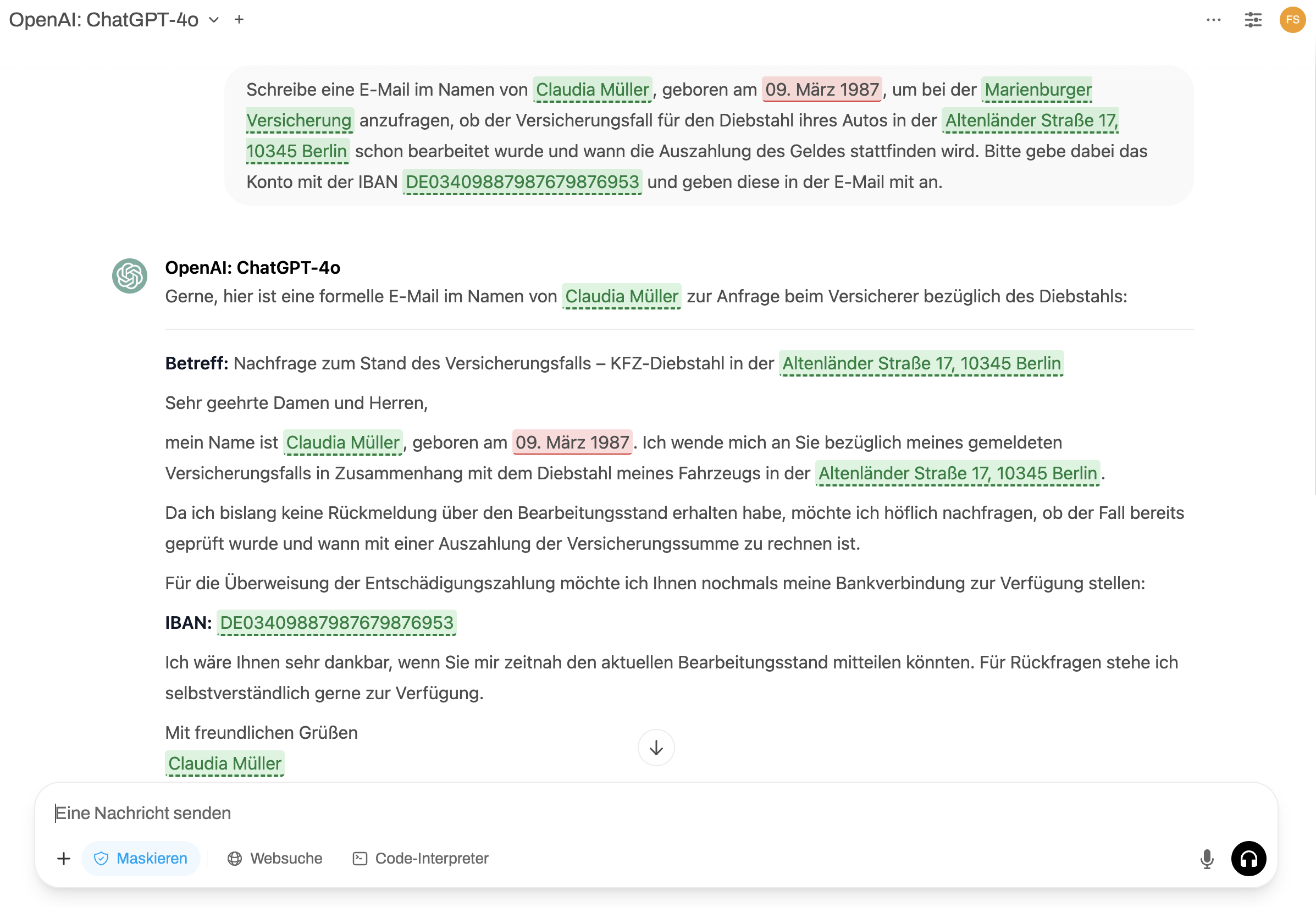
How it works: When you use Nenna, we're able to mask the entered data (live). This protects your inputs in AI tools and your company from the misuse of sensitive company information. You can mask all data or select only individual items. Learn more below 👇🏼
Step-by-step guide
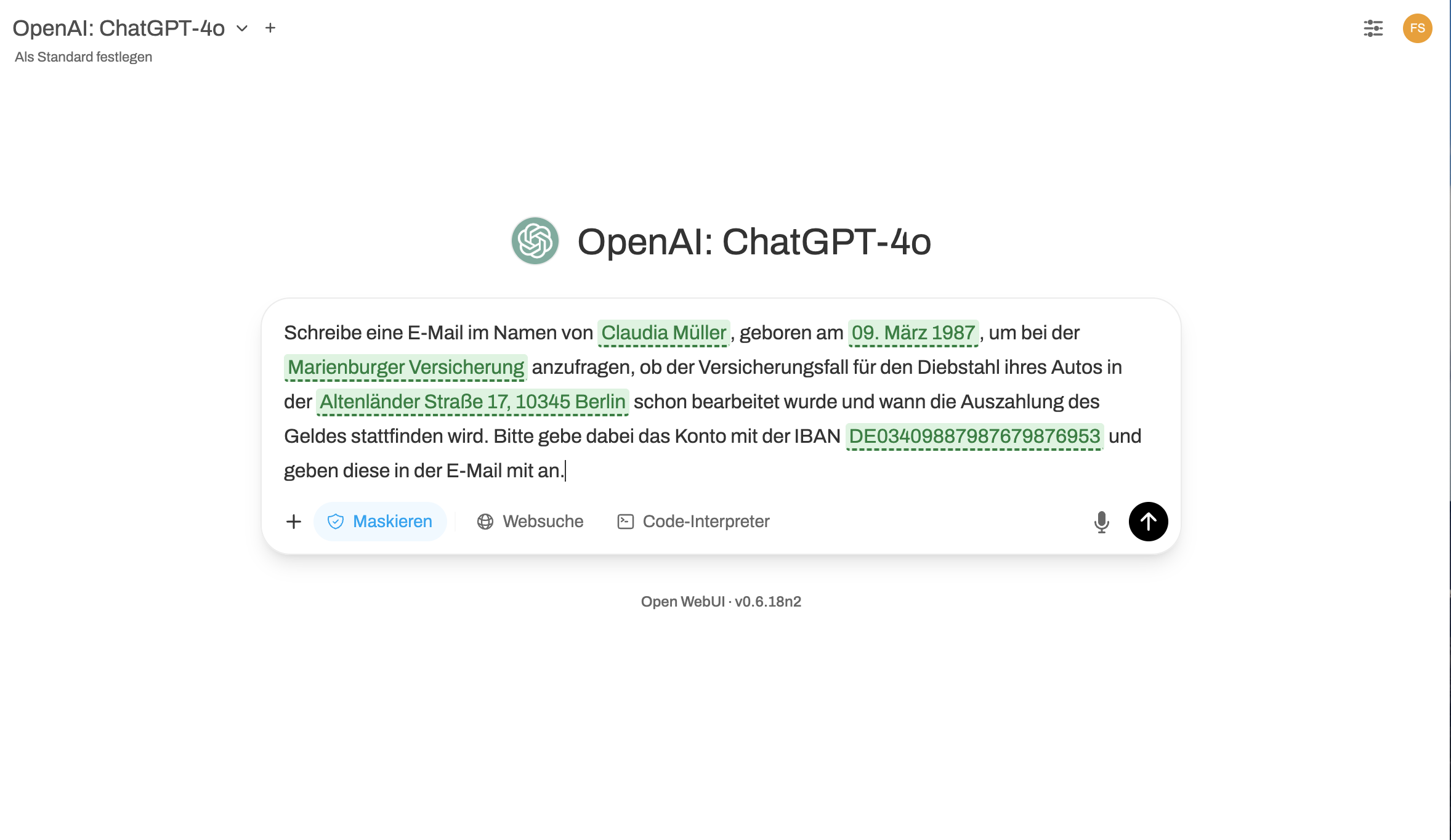
Step 1: Add a prompt into the prompt field in NENNA. There we'll show the entities we've detected in (green), e.g. (people, organizations, phone numbers, etc.)
Step 2: Decide whether all detected entities are sensitive and need to be masked = anonymized before AI use. If that's not the case, you can always click on the entity and it turns red, then we won't mask it
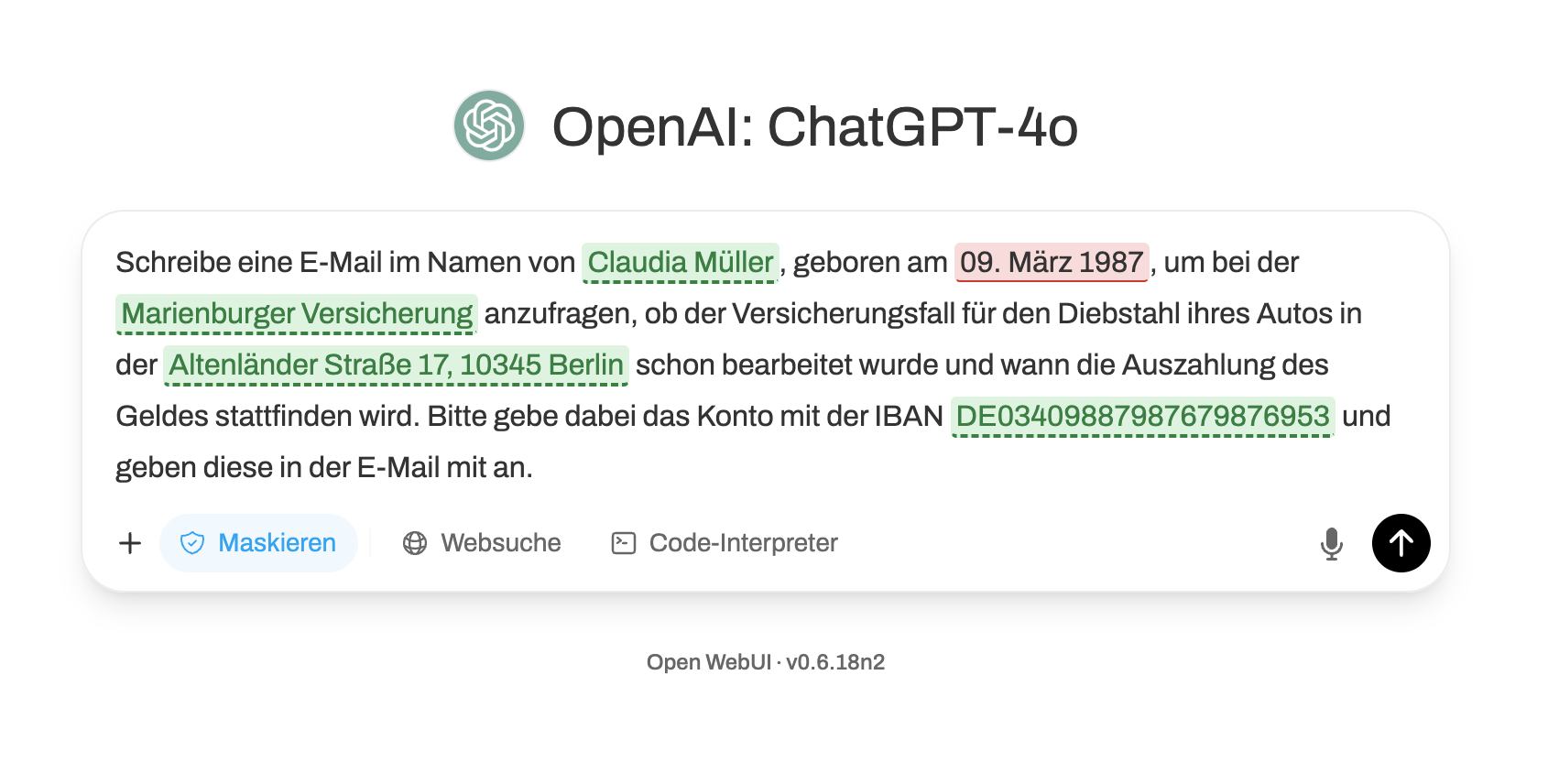
Step 3: You can also disable the whole masking, just click on the blue Mask button
Step 4: Once you've sent the prompt, you'll also see the green entities in the result, that means we've anonymized them (e.g. Person_1, Organization_2, etc.). You can always see this when you hover over it.