
With document masking in NENNA you can upload PDF or Word files, analyze them automatically, and specifically anonymize sensitive information before it is passed on to an AI model. This feature ensures that you can work with customer, contract, or campaign documents in a data protection compliant way, without the risk of personal data being processed unintentionally.
What does document masking mean?
Document masking means:
When you upload documents into the chat, NENNA automatically detects personal or confidential data (e.g. names, phone numbers, email addresses) and lets you review and, if needed, anonymize them, before the AI sees them.
Step by step guide
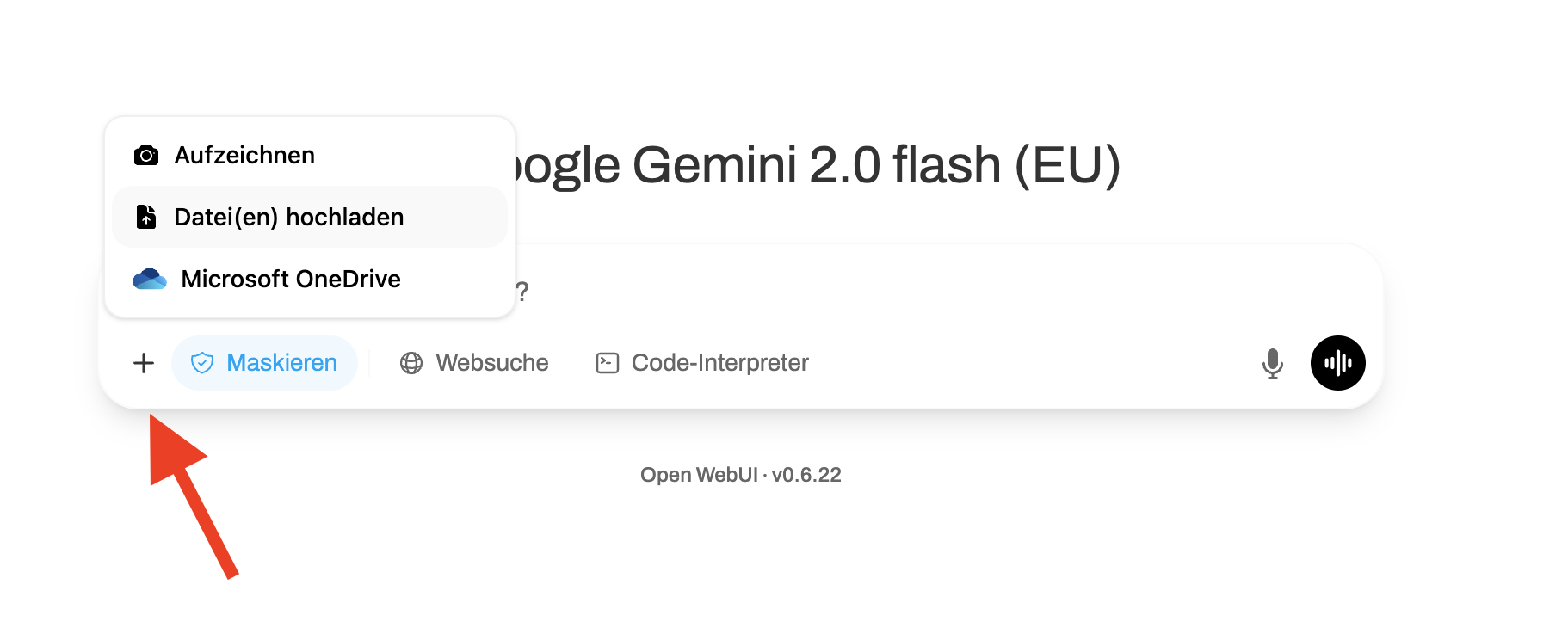
1. Upload document into the chat
Open a new or existing chat.
Click the "+" icon below the text input field.
Select "Upload file" and upload, for example, a PDF
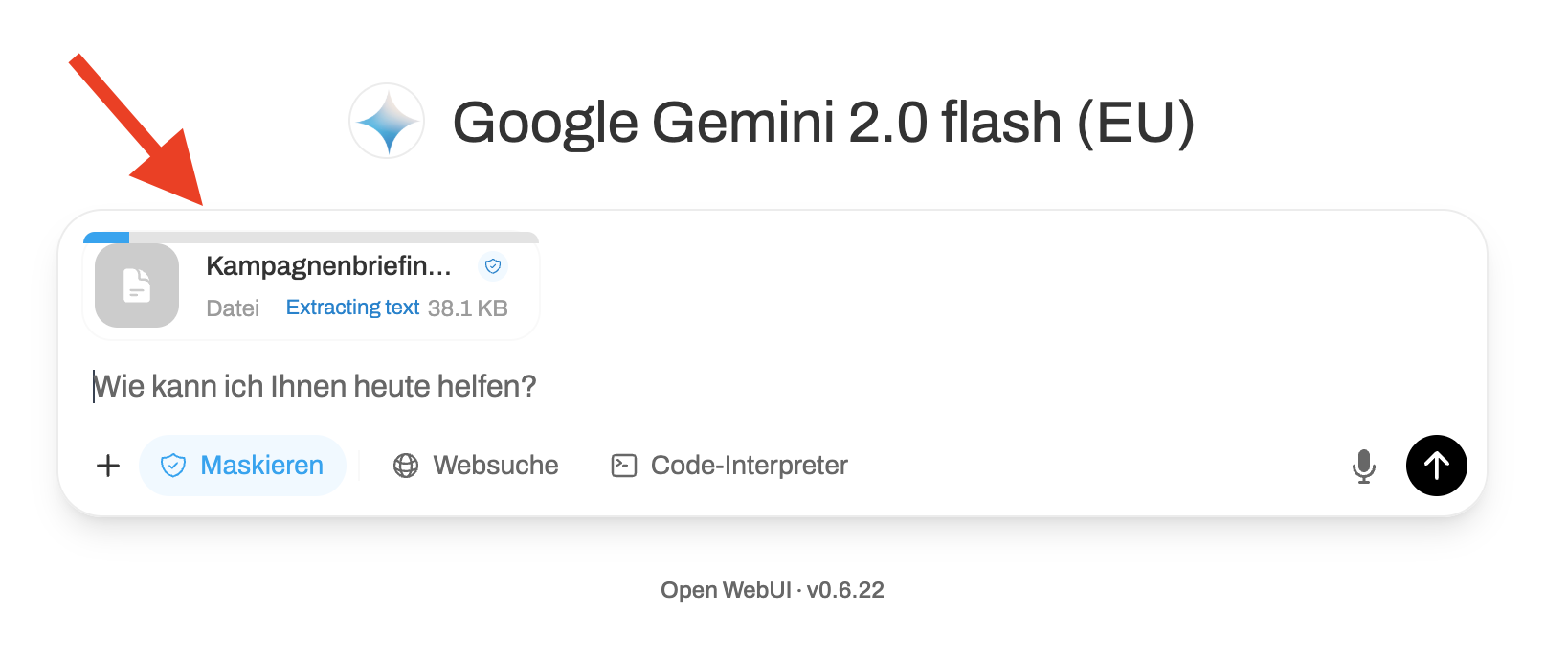
2. Text is automatically extracted
- NENNA automatically runs text recognition (OCR) if needed.
- The content of the document is analyzed and displayed.
- At the top you see the notice: "Data is protected with NENNA"
- The shield icon shows that the file is anonymized and protected
3. Review and mask sensitive data
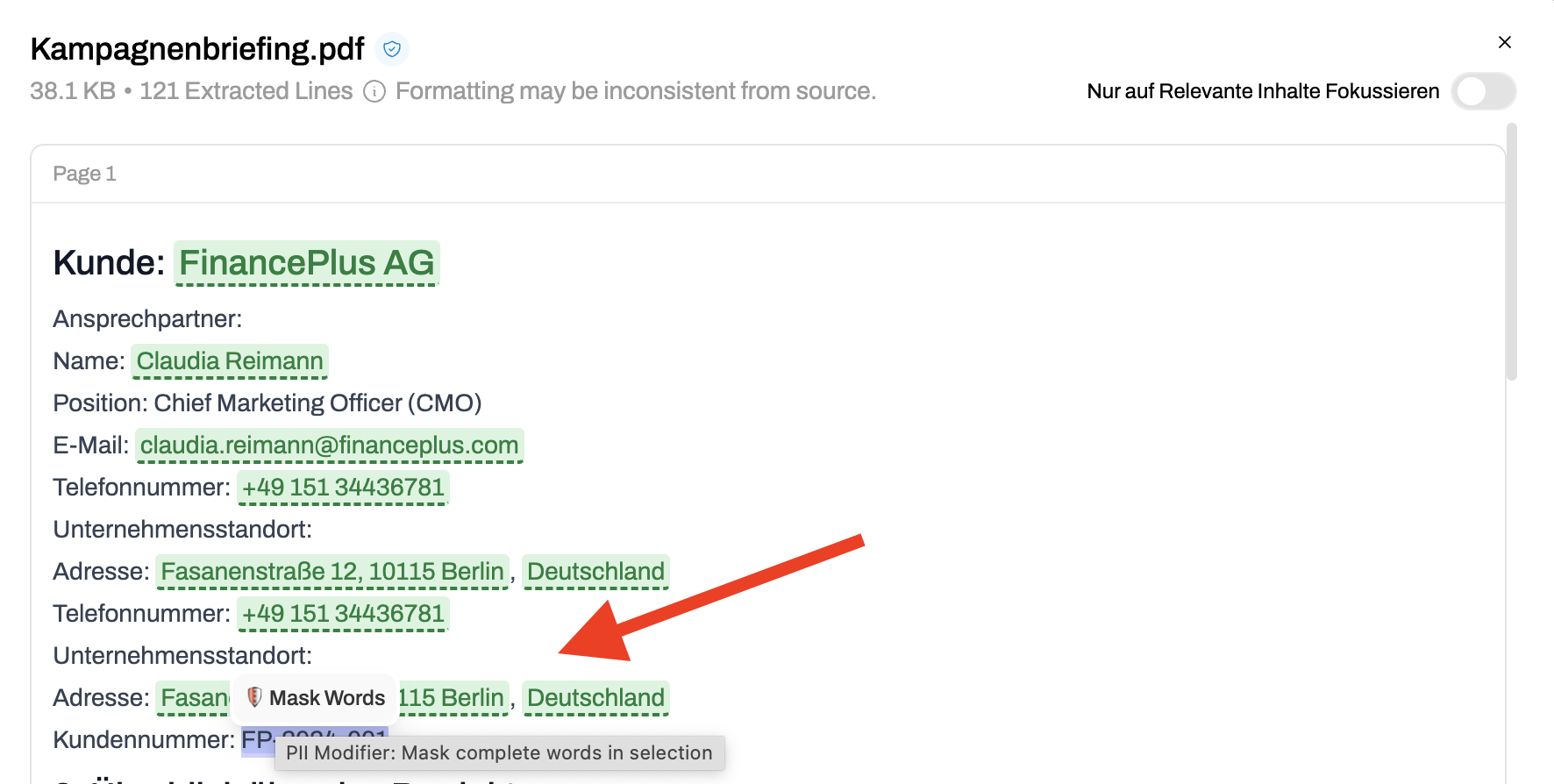
- Click the notice or open the file preview.
- You see detected data such as:
- Names
- Email addresses
- Customer numbers
- Phone numbers
➡️ You can now manually set:
- Which terms should be masked
- Which data may stay visible
Example:
You want to mask the customer number, then:
- Simply select it → click "Mask Words"
- The selected part is anonymized in the prompt
4. Ask a question about the file
- After you have edited the document, ask your question, for example:
"Summarize the document for me."
- The AI processes the document, without the masked information.
- You get a clean, context based summary.
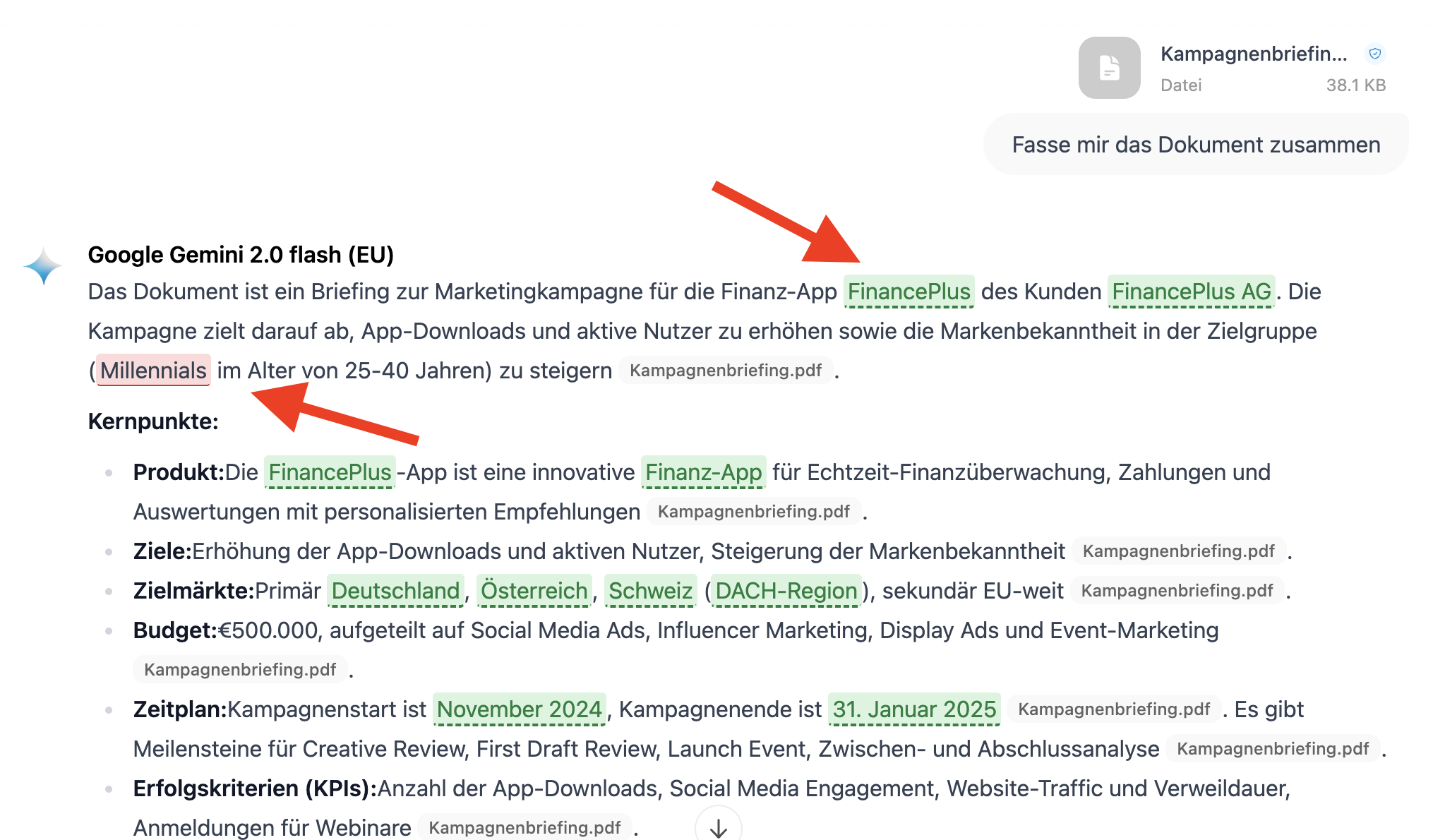
5. Continue working with the result
- You can:
- ask follow up questions
- have the result translated
- export content
- switch to other languages
Example:
"Please show me the summary in English."
➡️ The AI continues to use the cleaned document, you get back a secure, translated result.
Data protection and security
| Protection mechanism | Explanation |
|---|---|
| Anonymization | You decide what gets masked, nothing is passed on unchecked |
| Document stays processed locally | No transfer to external third parties without approval |
| Visible notice in the chat | Clear labeling: "Data is protected with NENNA" |
| Reversibility | You can trace the anonymized content again if needed |
Typical use cases
- Campaign briefings with customer data
- Contracts with personal information
- Support documents with sensitive contact data
- Invoices or protocols with reference numbers
FAQ
What exactly does "mask" mean?
→ Masked terms are automatically replaced before being sent to the AI model, for example with placeholders.
What does the model see?
→ Only the non masked content. The AI works in an anonymized way.
Can I undo the masking?
→ Yes, as long as you are in editing mode. After that the protection is active and stays in place.
Does this also work with Word files?
→ Yes, it also works with Word