

With NENNA, you can use several AI models at the same time for the same input (prompt). It's ideal for comparing different models and finding out which one suits a given task best.
This feature helps you evaluate systematically what answer quality, speed, or depth you can expect from different models.
What does parallel model execution mean?
Parallel execution lets you have several AI models respond to the same prompt at the same time. That way, right in the interface, you can:
compare differences in response speed and length,
judge which model fits your use case better,
use the results to decide on future tasks.
Example:
You want to find out whether Chatgpt, Claude, or Gemini is better suited to short marketing texts.
Step by step: how to use several models at once
1. Choose the main model
At the top of the chat window you see your active model (e.g. GPT-4o).
You find the Compare icon in the model selection at the top right. With it, you have several models answer the same prompt.
Click the "+" icon next to the model name to add more models.
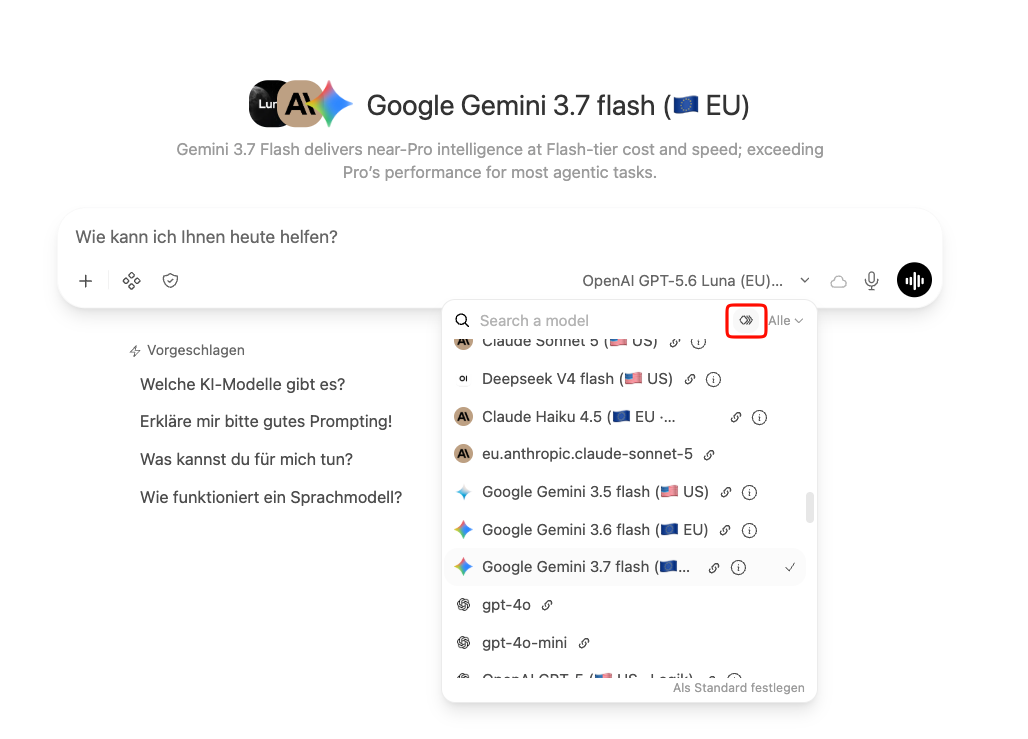
2. Activate additional models
Pick, for example, "Claude 4 Sonnet" and "Gemini Flash".
All selected models are now listed with their logos.
You can remove or add models again at any time.
➡️ Tip: Pick different model types on purpose for a useful comparison (e.g. creative vs. structured vs. fast).
3. Enter a prompt
Write your question or task in the input field as usual.
Example:
"Give me a short LinkedIn post about data protection in companies."
4. Wait for the answers in parallel
After you send it, all active models work on the same prompt.
You will see, for example:
different response times (e.g. Gemini especially fast),
different response lengths and styles,
possibly different interpretations of your request.
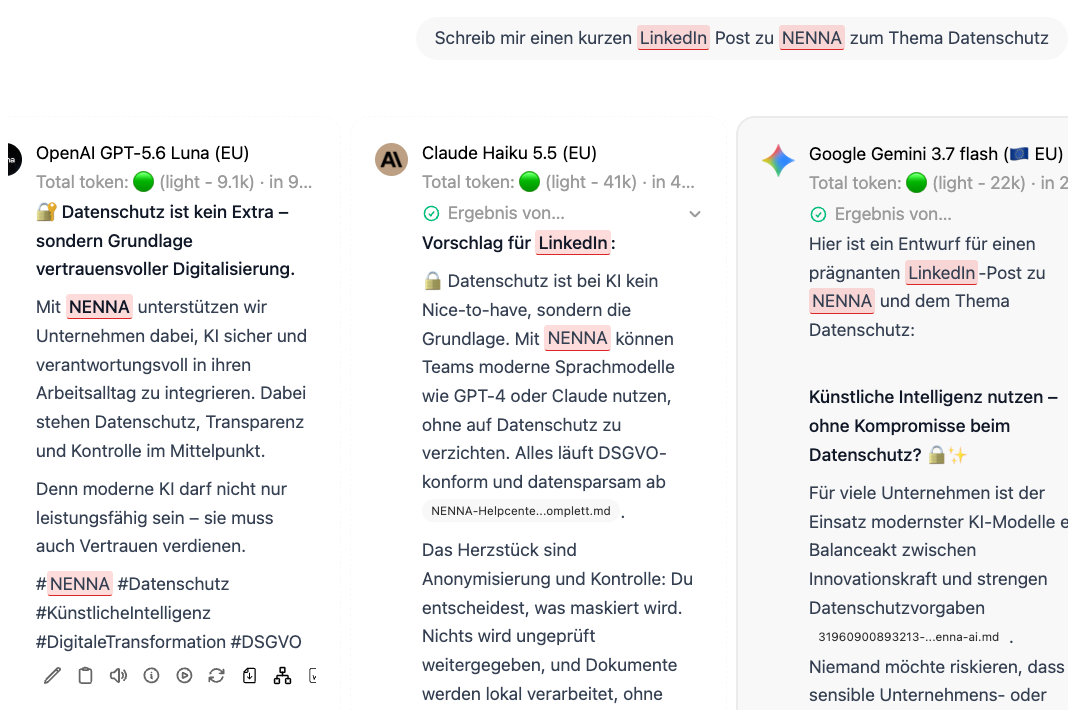
5. Compare and rate the answers
Read all the answers side by side.
Look at:
Depth of content
Writing style
Precision and creativity
Speed
➡️ Goal: See which model is best suited to your use case.
6. Set a favorite model for future tasks
If you prefer a model, you can select it permanently for similar tasks or even build it into a custom model.
That saves you time and keeps quality consistent.
Example comparison
Model | Answer style | Speed | Ideal for... |
|---|---|---|---|
GPT-4o | structured, precise | medium | technical texts, clear structure |
Claude Sonnet | detailed, thoughtful | rather slow | legal contexts |
Gemini Flash | short, pointed | very fast | social media, ideation |