
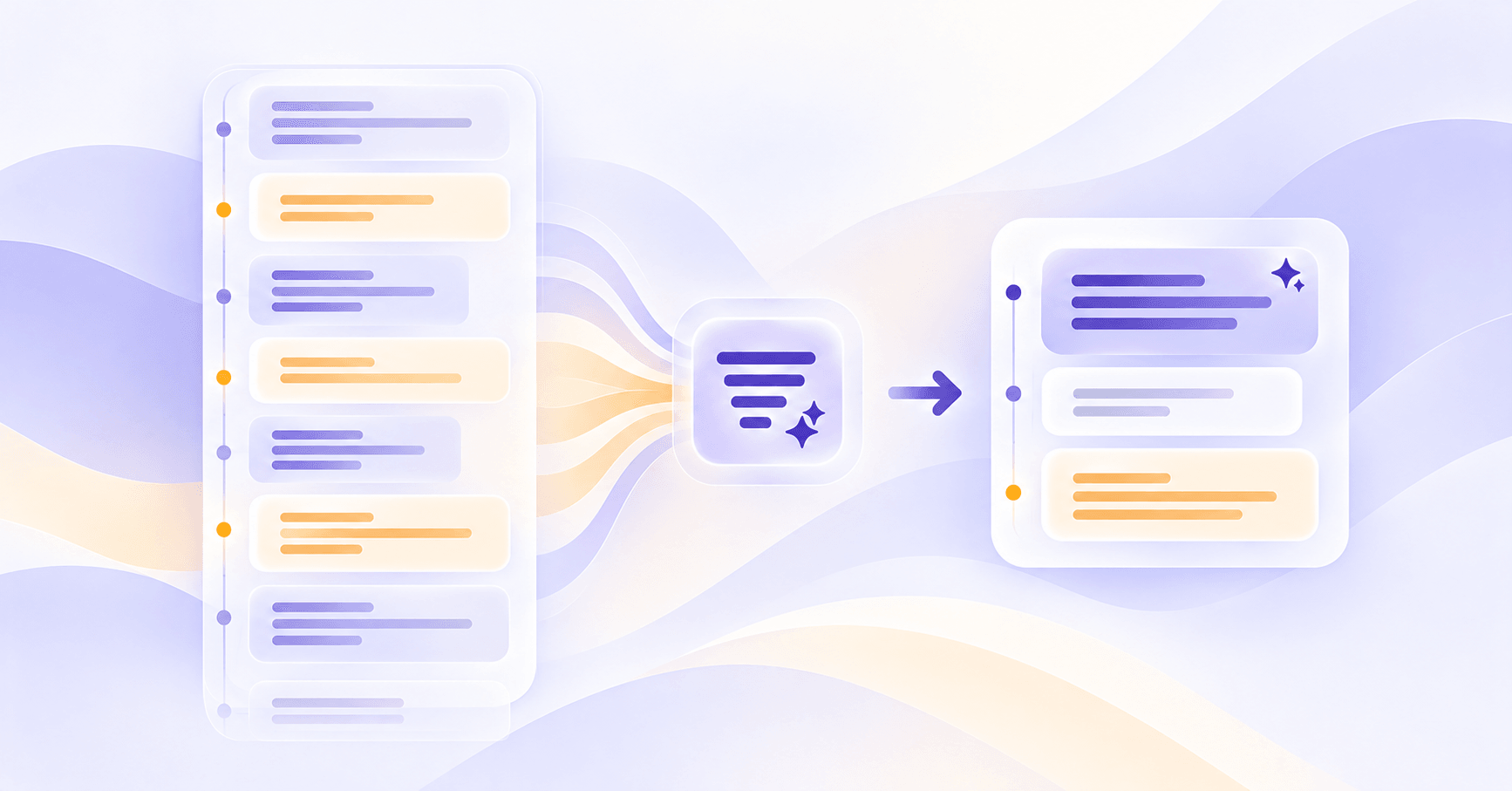
Admins can set when compaction happens, which AI model is used for it, and how many of the recent messages are kept unchanged.
Important: Context compaction does not change or delete the user's visible chat history. It controls which information from a long conversation is passed to the AI model as context.
Where do I find the settings?
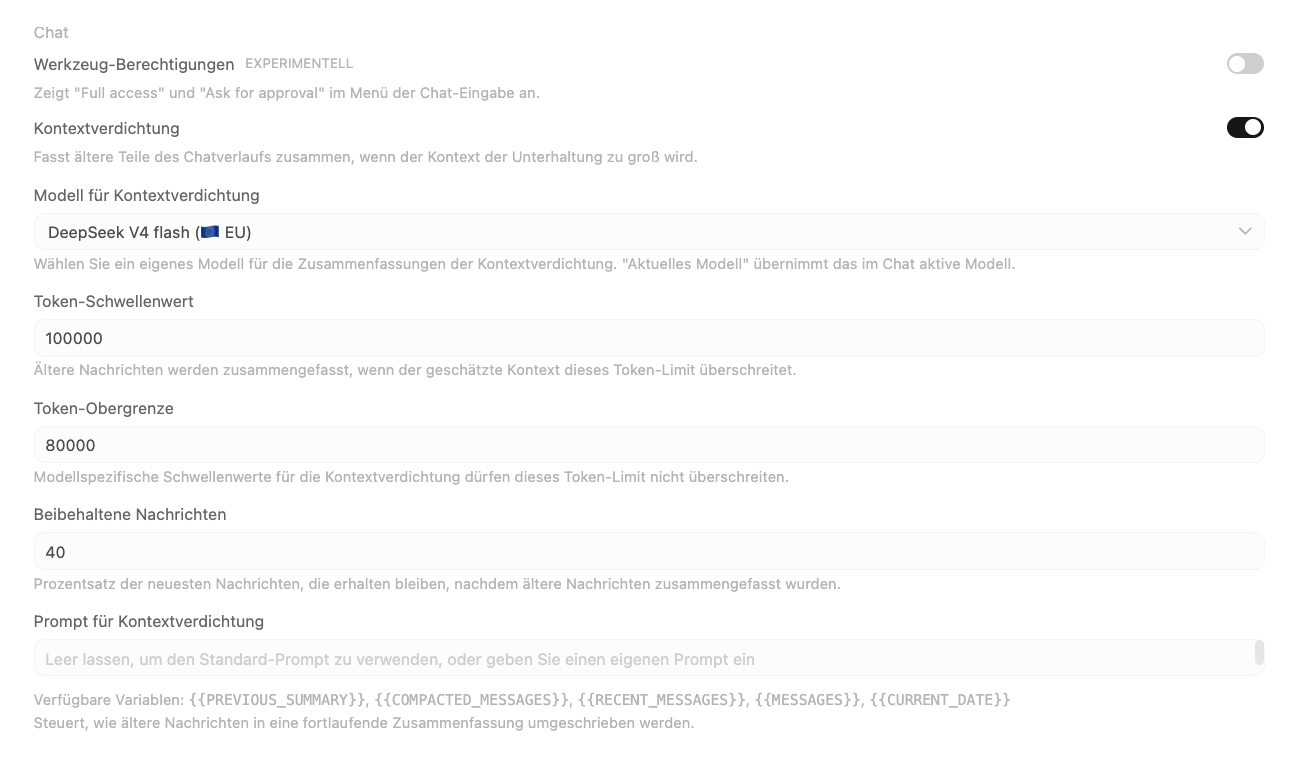
In the admin area, open
Adminbereich → Einstellungen → Benutzeroberfläche → Chat → Kontextverdichtung.Turn on the option
Kontextverdichtung.
What happens during context compaction?
In long conversations, the amount of context that has to be passed to the AI model grows with every message.
When the configured threshold is reached, NENNA summarizes older messages. Some of the newest messages are kept unchanged.
In simplified terms, the model then receives this context:
Zusammenfassung älterer Nachrichten + aktuelle Nachrichten im Original + neue Anfrage des Nutzers
This lets longer conversations continue without the whole previous history having to be processed again as full context with every new request.
Model for context compaction
Under Modell für Kontextverdichtung you set which AI model writes the summary of the conversation so far.
In the NENNA configuration shown, for example, DeepSeek V4 flash (🇪🇺 EU) is used.
Alternatively, Aktuelles Modell can be used. In that case, the model currently used in the chat does the context compaction.
Recommendation: A fast model with a large enough context window and good summary quality works well for context compaction. A separate model also has the advantage that compaction can run independently of the model selected in the chat.
Important: The selected model must be reachable and correctly configured. If the model call fails, context compaction cannot run either.
Token threshold
The Token-Schwellenwert determines when NENNA should trigger context compaction.
Example from the configuration shown: 100.000 Token
If the estimated context goes over this value, older messages can be compacted.
A lower value means chats are compacted earlier. A higher value keeps more of the original conversation context before compaction is needed.
The right value should fit the context window of the models in use.
Token limit
The Token-Obergrenze caps model-specific thresholds for context compaction.
Example from the configuration shown: 80.000 Token
This prevents a threshold worked out for a specific model from sitting above the limit you want.
This setting matters most when different models with different context windows are used within NENNA.
Important: Token threshold and token limit do different jobs. The threshold defines when compaction is needed. The limit caps the model-specific thresholds in use.
Retained messages
With Beibehaltene Nachrichten you set what share of the newest messages stays unchanged in the context after compaction.
Example from the configuration shown: 40 %
This means the more recent messages are kept more in their original form, while older content goes into the summary. This matters because the last messages often hold the context that is directly relevant to a conversation.
A higher value keeps more recent messages unchanged, but needs more context.
A lower value allows stronger compaction, so more information is provided only through the summary.
Prompt for context compaction
Admins can also set their own prompt for context compaction. This prompt determines how NENNA turns older messages into a running summary. If the field is empty, the default prompt is used.
These variables, among others, are available for a custom prompt:
{{PREVIOUS_SUMMARY}}{{COMPACTED_MESSAGES}}{{RECENT_MESSAGES}}{{MESSAGES}}{{CURRENT_DATE}}
With this you can, for example, set that certain information should get special attention during compaction. This includes:
Decisions and agreements
important numbers and facts
requirements and constraints
names or defined terms
open tasks
relevant results from earlier messages
Recommendation: Only change the default prompt if there is a concrete professional reason. An unsuitable prompt can cause important information to be given too little attention during compaction.
How the settings work together
A simplified example with the configuration shown:
Setting | Value |
|---|---|
Context compaction | Enabled |
Model | DeepSeek V4 flash (🇪🇺 EU) |
Token threshold | 100.000 |
Token limit | 80.000 |
Retained messages | 40 % |
Once the relevant limit for context compaction is reached, the configured model writes a summary of older conversation content.
The newest 40 % of the messages are kept, as configured. The summary and the recent messages then together form the context for continuing the chat.
What do users see?
Context compaction works in the background.
The existing chat is not deleted or shortened. Users can still scroll through their earlier messages and see the full visible conversation history.
For the next model request, though, every older message no longer has to be used in full as context.
What does "Compaction failed" mean?
If the summary cannot be created, an error message about context compaction can appear. Possible causes include:
The configured model is not reachable.
The model call fails.
The selected model does not correctly support the required request.
The model configuration or API configuration is faulty.
The context limit of the model in use is already exceeded during compaction.
In this case, admins should first check which Modell für Kontextverdichtung was configured and whether that model processes regular requests successfully.
Which values should I configure?
The best values depend on the AI models available in your NENNA environment and their context windows.
As an admin, make sure in particular that:
the compaction model is reliably reachable
enough context is kept for recent messages
compaction happens before the actual context limit of the model in use
the chosen model can reliably summarize longer content
For long chats or large files, you can try lowering the Token-Schwellenwert to 60.000 and watch how it is used.
In a centrally managed NENNA environment, we recommend using the default values set by NENNA and only changing them for a concrete use case.
Should context compaction be turned on?
In environments where users regularly have long chats, context compaction makes sense. It works well for large analyses, longer projects, iterative text work, and conversations with many follow-up questions.
For short chats, the feature usually has no visible effect, because compaction only matters once the context is large enough.
Important for admins: Context compaction is not an extra knowledge base and not a permanent memory of the AI model. It is there to continue the context of an existing long conversation efficiently.
For Productlane, I would also create a small graphic "How context compaction works". In it we could show visually:
"Long chat → threshold reached → older messages are summarized → recent messages are kept → chat continues"
That would make the technical function much quicker for admins to understand.